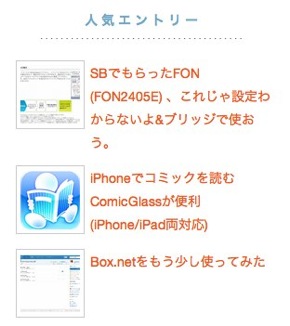
先日は、Popular-post プラグインにサムネイルを足したのですが同じように「Post-Views」プラグインでのウィジェットにもサムネイルをつけてみました。
[Wordpress]「人気記事」のウィジェットにサムネイル画像を付ける | Roguer

ある上記の記事で参考にしてほしいのはCSSの箇所です。この箇所は同じになるようにしています。
post-viewsのプラグインの 2260行目を以下のように修正しています。出力結果は上記の Popular-postでの書き出しにあわせています。これでサムネイルが表示されていい感じに表示されますね。「Popular-post」よりも「Post-Views」の方が柔軟に表示が出来るので利便性はあると思います。
wp-content/plugins/post-views/post-views.php
$thum=get_the_post_thumbnail( $post->ID , array(64,64) );
                 $pv_views[$count] = array('title' => ''.$thum.''.$post_title.'', 'views' => number_format($post_views), 'time' => $view_time, 'post_id' => $post->ID );
style.css
.wp-post-image {
        border:solid 1px #ccc;
        padding: 4px;
        float: left;
        margin-left: -80px;
        margin-bottom: 10px;
/*      vertical-align: text-top; */
}
.popular_posts {
        padding: 3px;
        margin-top: 3px;
        margin-left: 80px;

}
.popular_posts_title {
        margin:2px auto;
        font-size: 90%;
}
.popular_posts_snippet {
        margin:2px auto;
        font-size: 75%;
        color: #A0A0A0;
}
実際の効果のほどは分かっていませんが画像を表示するようにしてから若干滞在時間が増えたので見てくれている人が増えている気がします。やはり視覚に訴えるのは重要ですね。